Workflow
How Long Should an Architectural Walkthrough Take?
Walkthroughs often take weeks because the work passes between separate teams. Here is what actually sets the timeline, and how to get one in days.
The design is ready to present. The client needs to move through it before they commit. Then the walkthrough estimate comes back: several weeks.
For many projects that means one of two things. The meeting moves, or the walkthrough gets dropped and the client sees stills again. Neither helps the design get approved.
Why walkthroughs have traditionally taken weeks
Very little of that time is spent on the design itself. It goes to process:
- Handoffs. Modeling, animation and voiceover are often separate teams or vendors. Every handoff adds a queue and another review.
- Render time. A minute of footage is well over a thousand frames, and each one is rendered at final quality.
- Late feedback. When a camera path problem is spotted after the final render, fixing it means rendering again.
What actually sets the timeline
Four things decide how fast a walkthrough can be delivered:
- The state of the 3D model. A finished model can go straight to lighting and camera work. Drawings need a model built first.
- Length and number of spaces. A single suite is a different job from a whole house or a masterplan.
- When the camera path is agreed. Agreeing it on a quick preview, before final frames, removes the most time-consuming kind of revision.
- Narration. If the script is written while the footage renders, voiceover stops being a separate stage at the end.
How we deliver walkthroughs in 3–7 days
We run renders, the walkthrough and narration in one studio, so nothing waits in another team's queue. The camera path is signed off on a preview first. Final frames are produced with an AI-assisted pipeline, and the narration is scripted in parallel.
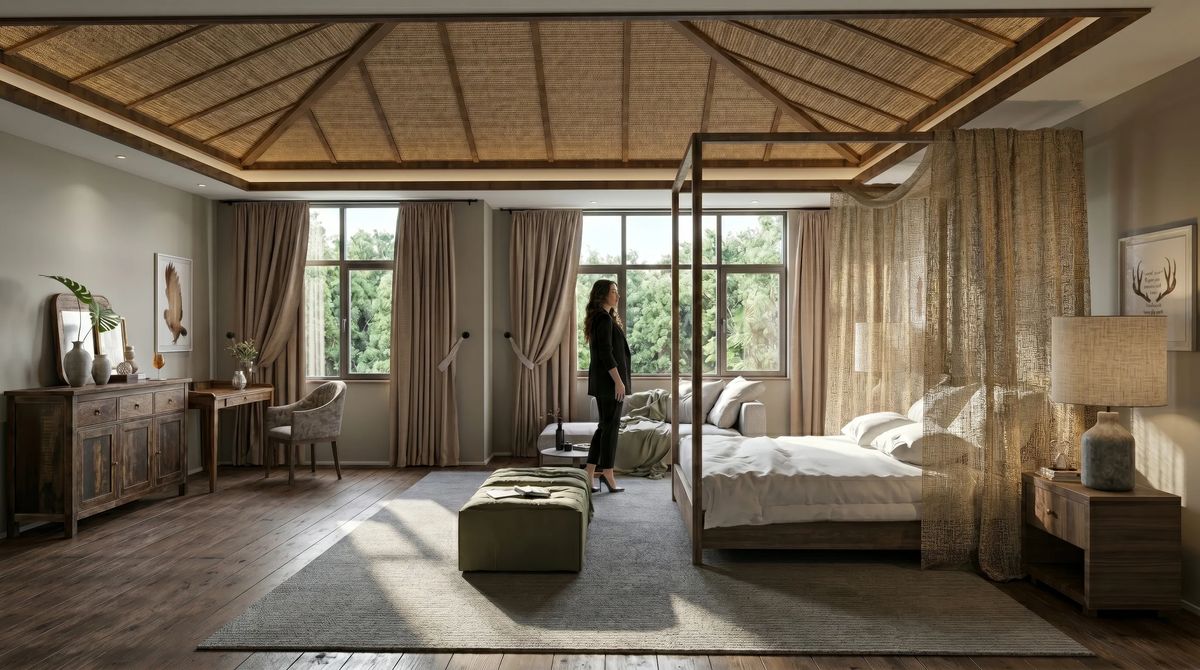
Here is that pipeline end to end on the Canopy Suite, a capability demo we built to test it, not a client project:
- Untextured base model, with geometry and proportion locked first
- Photoreal render: cane weave, linen, reclaimed wood, dusk light
- A 50-second cinematic walkthrough, paced the way a visitor would move
- AI narration layered on top, so it can be sent ahead of the meeting
Every project follows the same path. When your model is ready, a walkthrough takes 3–7 days.
What to send to get started
- Your 3D model if you have one (SketchUp, Revit, Rhino or similar), or plans and sketches if you don't
- The spaces to cover, in the order a visitor would see them
- Target length
- Two or three things the client must understand by the end
- Material and finish references
No model yet? That adds a modeling step first. Here's how rendering from sketches works.
A walkthrough exists to help a client understand the design before the meeting. One that arrives after the meeting doesn't do its job. Every great design deserves to be understood.